How do I cancel my OmniGPT subscription?
updated 2 months ago
In this article:
We're sad to see you go, but before you leave us, let us make this as easy as possible. Canceling your OmniGPT subscription is quick and painless - just follow these steps:
Step-by-Step Cancellation Guide
1. Access Account Settings
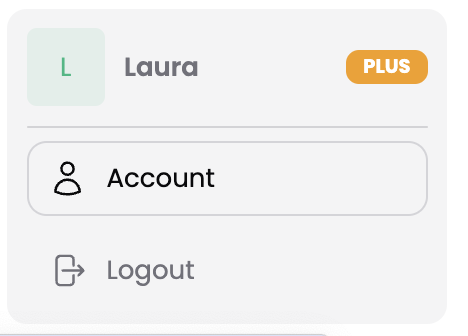
Locate your profile at the bottom left of your screen
Click on your profile
Select "Account" from the menu options
2. Navigate to Billing
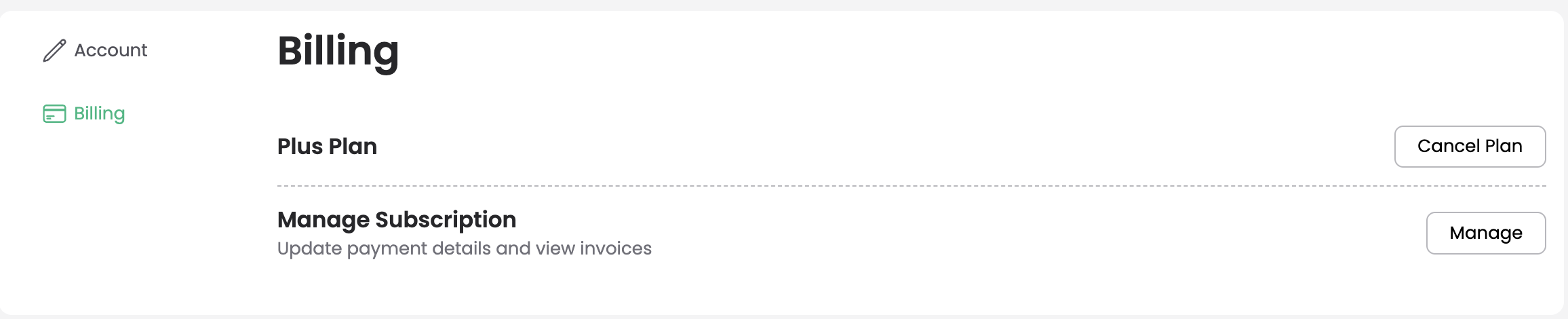
Select "Billing" from the menu options
This will take you to your billing settings
3. Cancel Subscription
Click the "Cancel" button
Provide feedback about your experience
Confirm your cancellation
Note: Your feedback helps us improve our service for future users. While we'll miss you, we want to make sure the cancellation process is as smooth as possible.
If you experience any issues during the cancellation process, please don't hesitate to contact our support team.
Was this article helpful?